Team members and roles | Functn Help Center
Category: Your organization
Invite a Functn teammate: open Profile → Team, click Invite Member, then choose a role.
# Team members and roles **Who can use this feature?** Organizers on a plan that includes team seats. Community plans lock this tab and send you to **Payments & Billing**. Invite people to your organization and choose what they can do. ## Invite a team member 1. Open **Profile**. 2. Click **Team**. 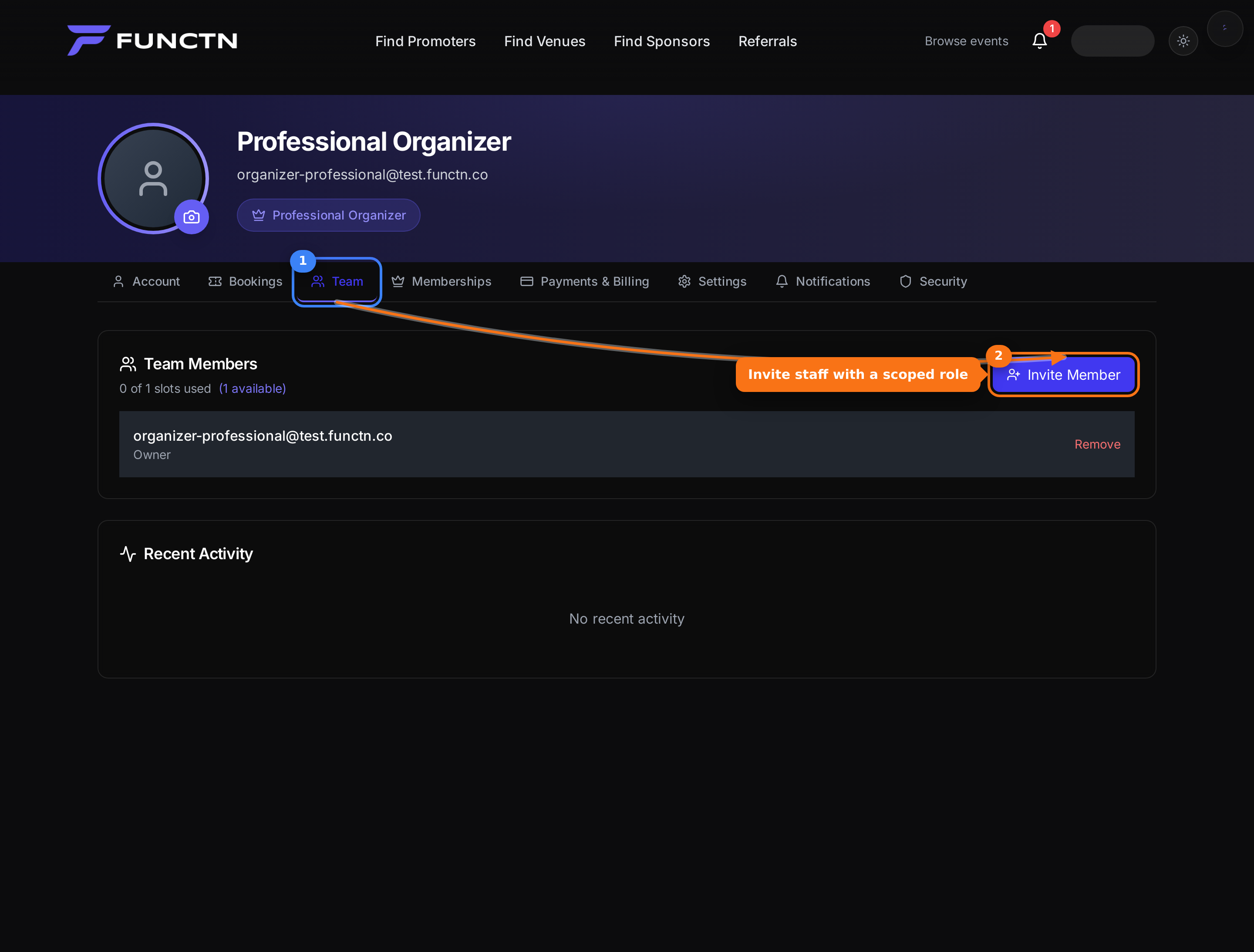 3. Click **Invite Member**. 4. To add a peer owner, click **Invite Organizer** instead. 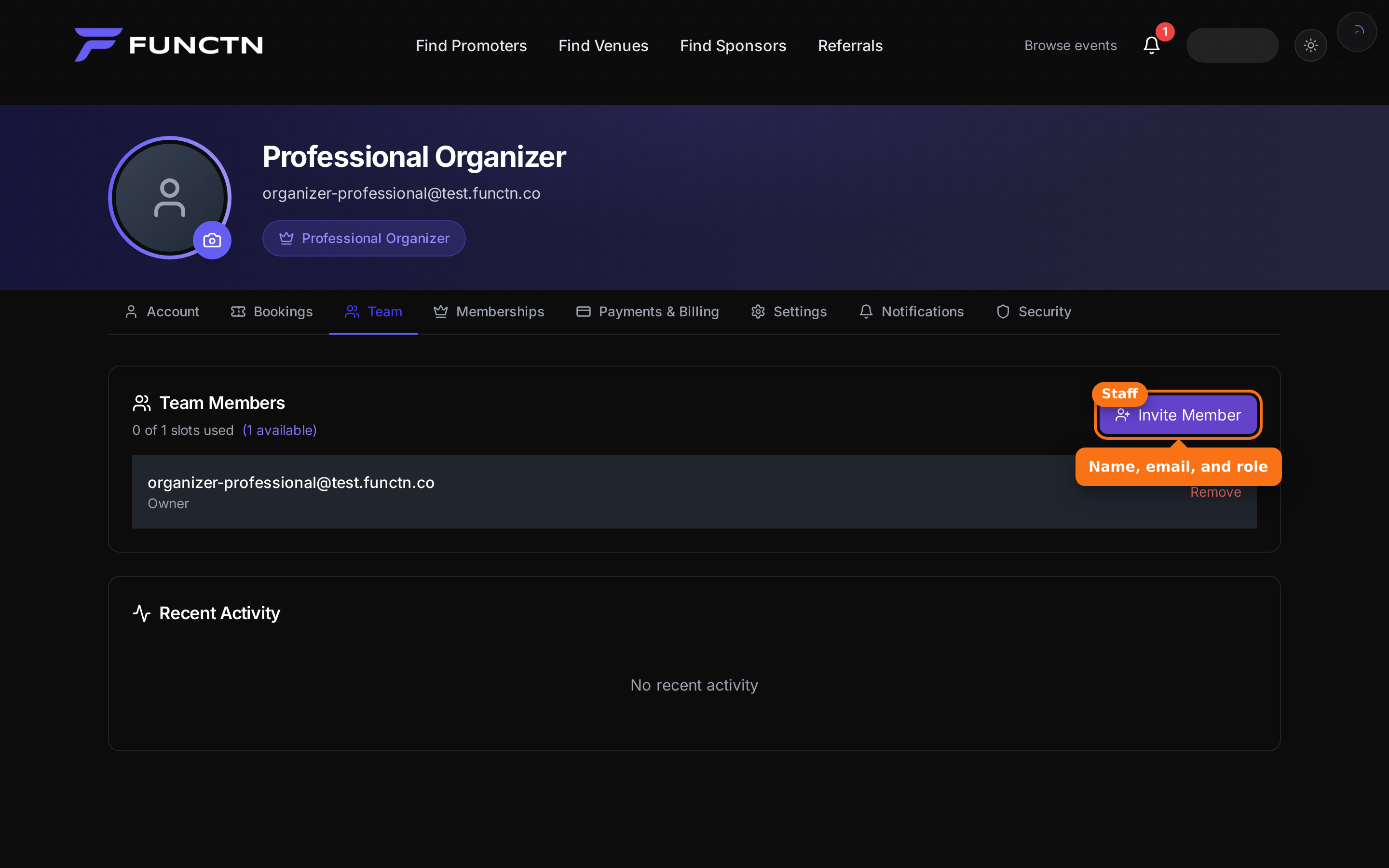 5. Enter their name and email. 6. Choose a **Role**, then click **Send Invitation**. 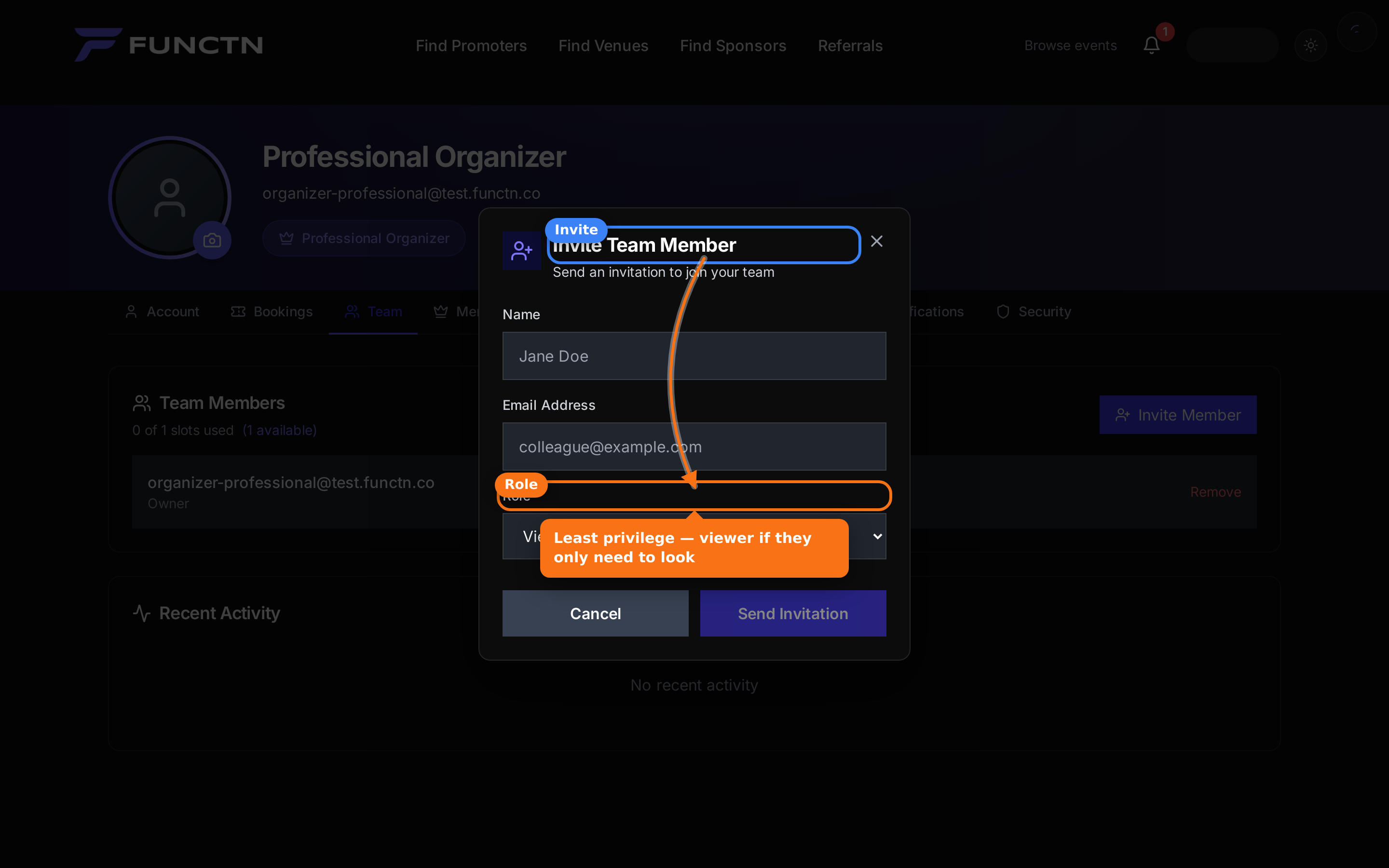 **Tip:** Use **Viewer** if they only need to look, not edit or refund.