Streamline operations | Functn Help Center
Category: By use case
Functn operational plays — templates, role-based access, automations, and day-of workflows that compress your team's workload.
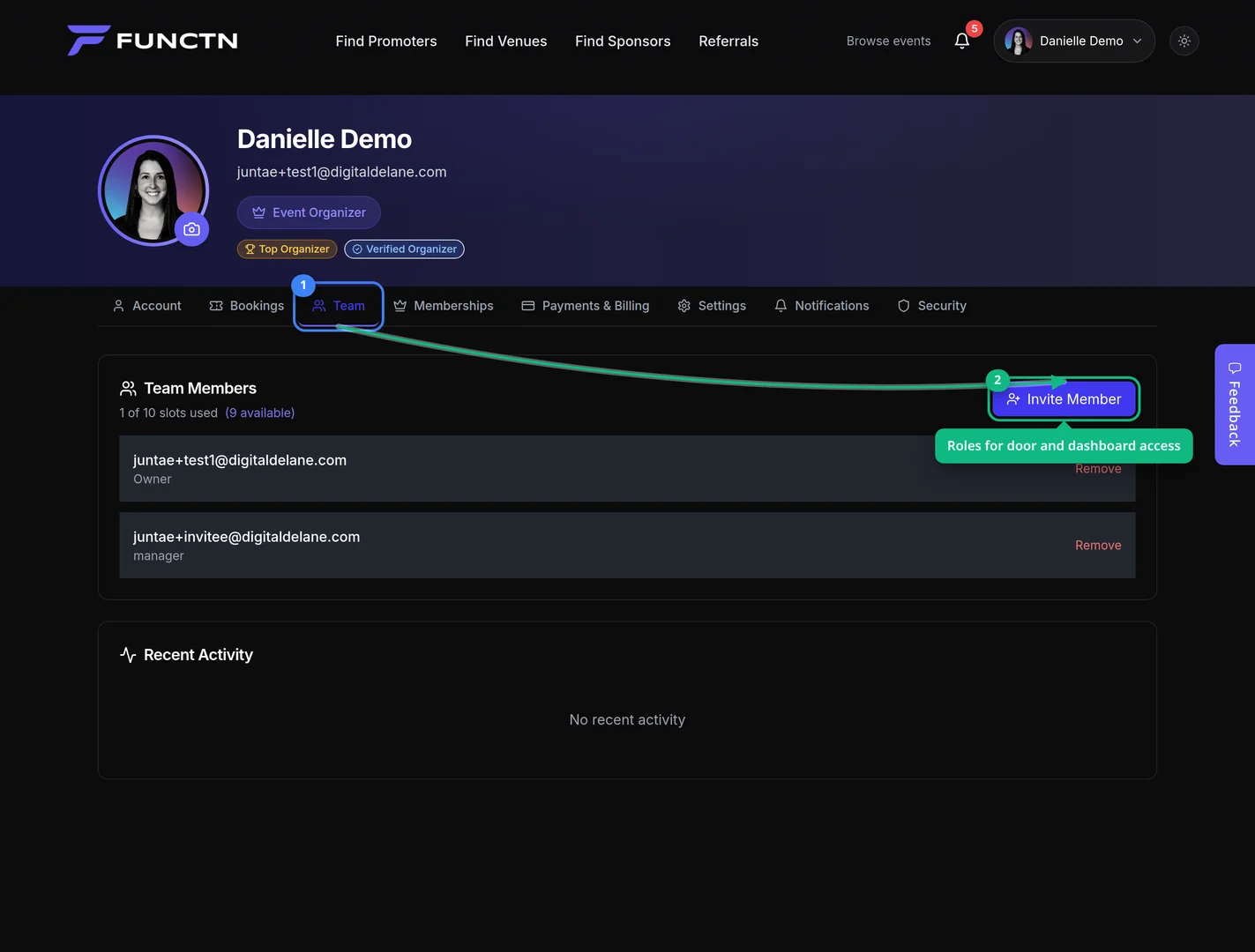
**Who can use this feature?** Organizers. Door tools are on Box Office → Check-In. Launch Scanner opens the door PWA. Invite staff on Profile → Team. ## Streamline operations 1. From the dashboard, open **Box Office**, then click **Check-In**. 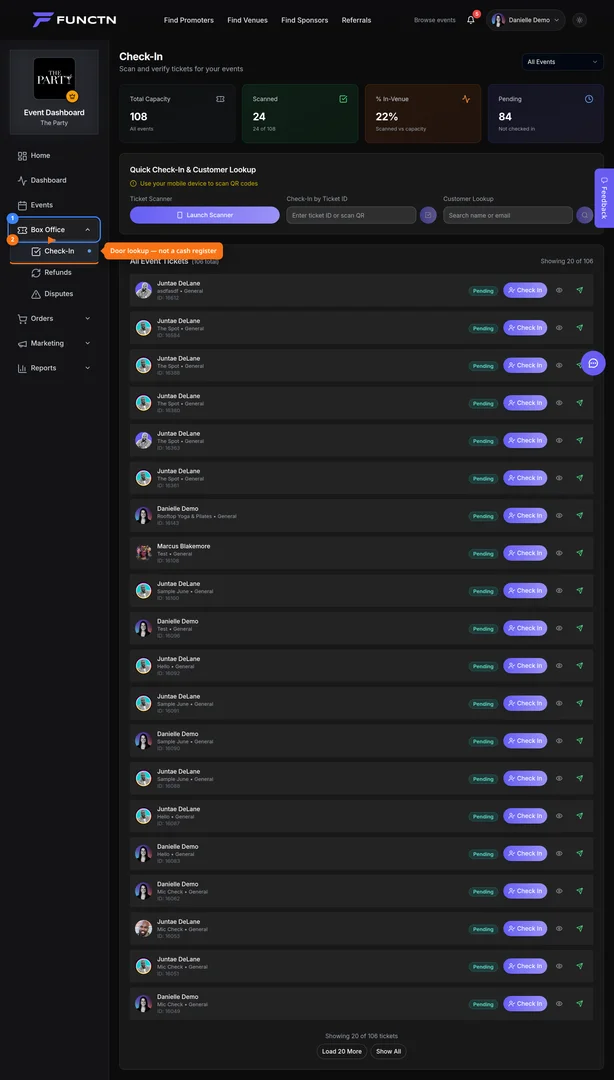 2. Click **Launch Scanner**. 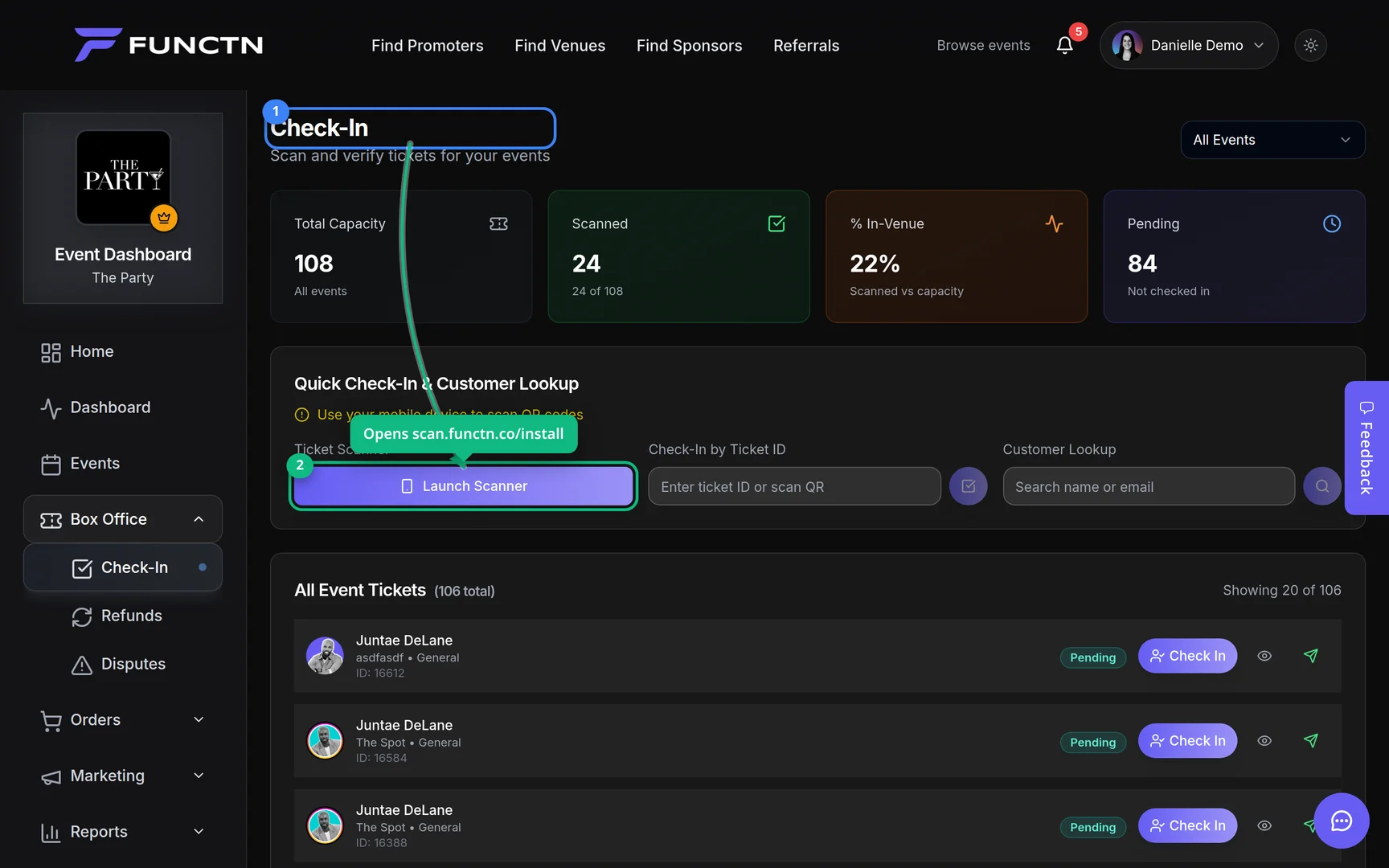 3. Open **Profile** → **Team**, then click **Invite Member**.