Setting commissions and terms | Functn Help Center
Category: Promoter Marketplace
How to design promoter commission structures, set fair rates, and write campaign terms sub-promoters trust.
# Setting commissions and terms ## What this covers Use promoter features to work with sub-promoters and review promoter performance where enabled. This article focuses on "Setting commissions and terms" using only current product behavior. ## Where to find it - Open /promoters for the marketplace surface. - Use Marketing, then Promoter Network, inside /admin/dashboard for organizer-side promoter work. 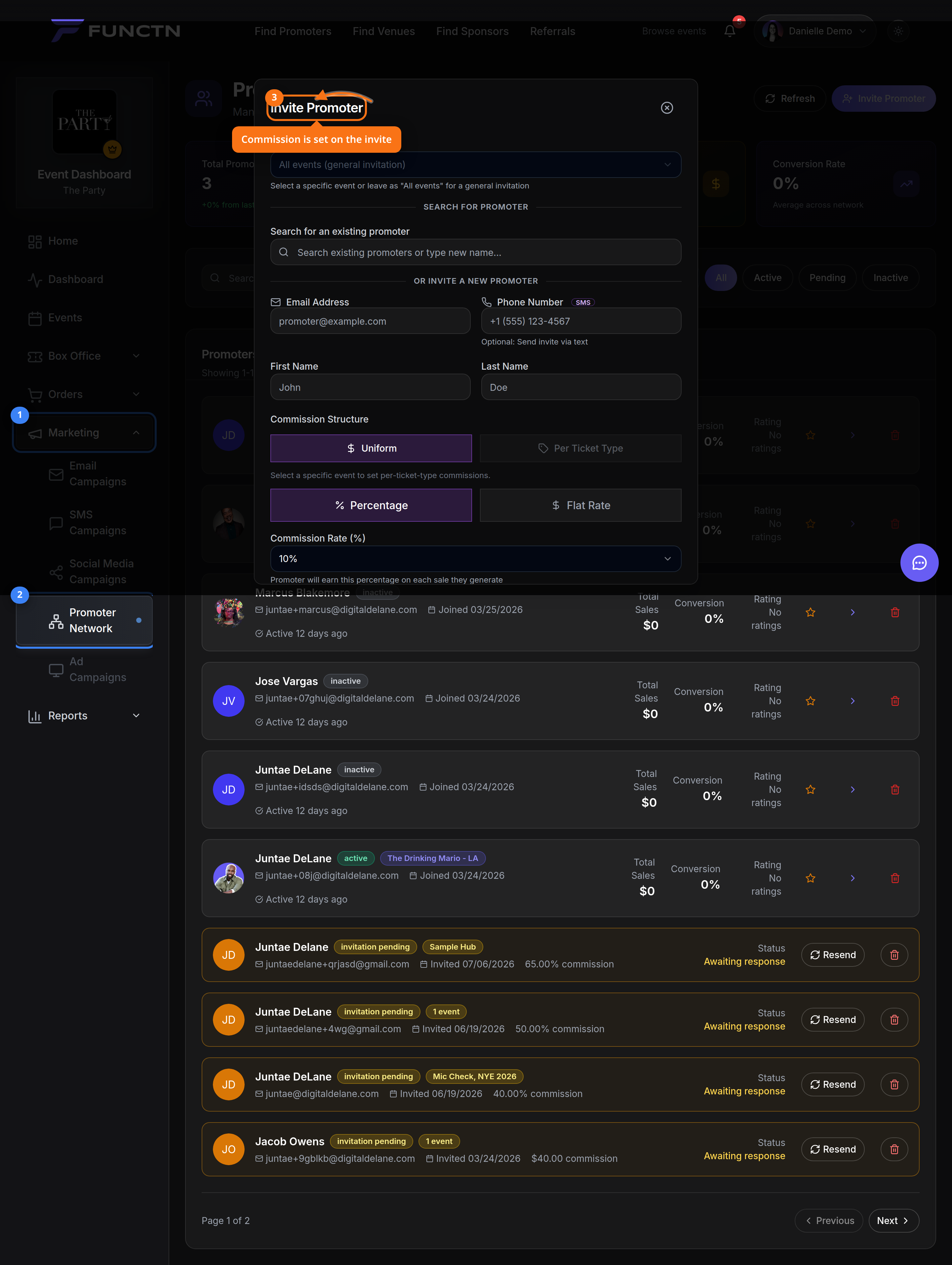 ## How it works Use the visible controls in the current app and follow the labels shown on screen. If a feature is package-gated or account-type-specific, the dashboard may hide it or show it as unavailable. For this topic, start with the closest dashboard or route listed above, then use the article title as your task guide. Avoid relying on older paths from legacy docs. 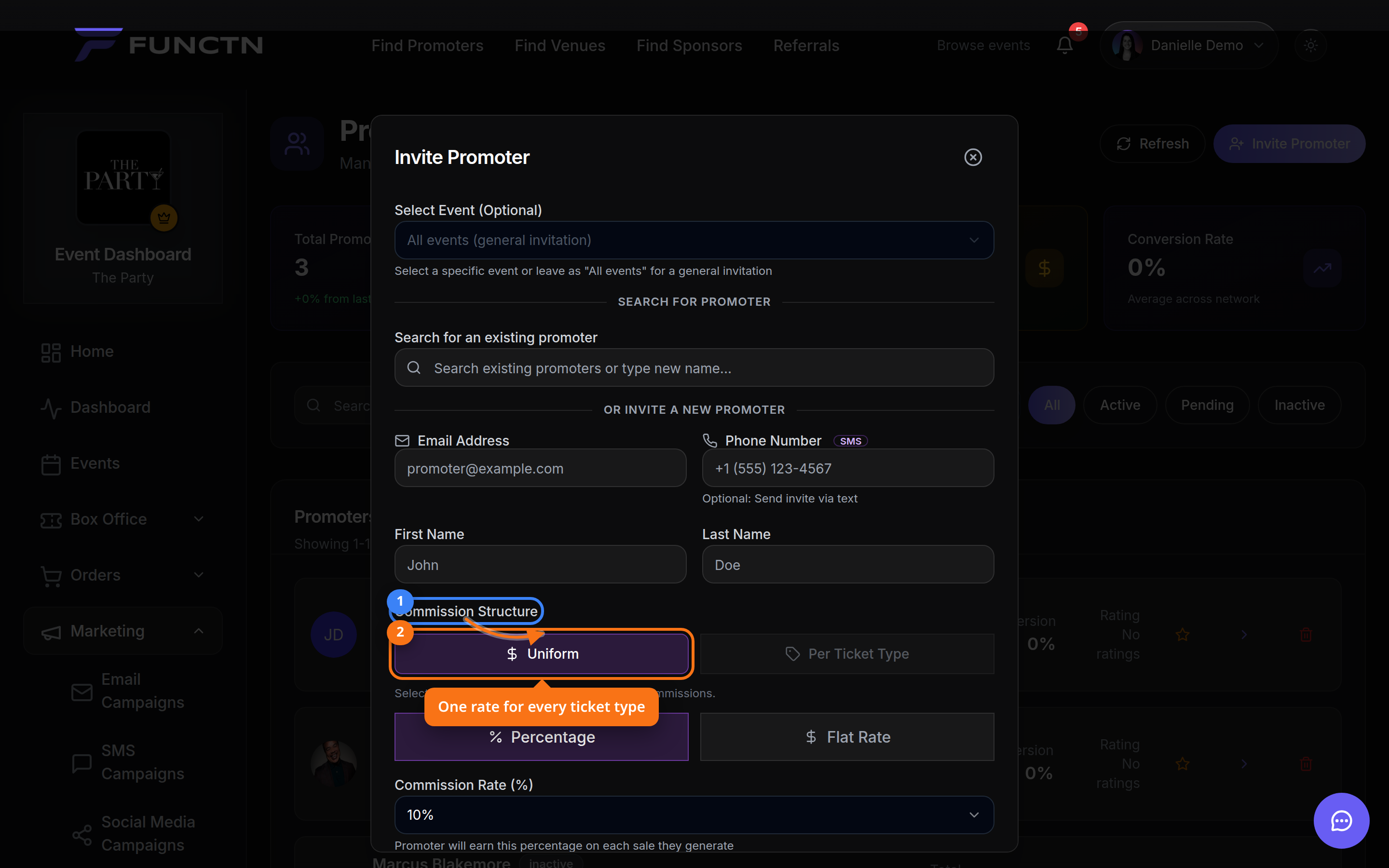 ## Limitations and notes - Commission terms should come from the event or campaign configuration, not from unsourced article defaults. - This article intentionally omits unsourced statistics, fix...