Check-in and scanning | Functn Help Center
Category: Day of event
Check in Functn attendees: open Box Office → Check-In, then launch the scanner or enter a ticket ID.
# Check-in and scanning **Who can use this feature?** Organizers and team members with door access. Check attendees in from the dashboard, or scan QR codes on a phone with the Functn scanner. ## Check in attendees 1. From the dashboard, open **Box Office**. 2. Click **Check-In**. 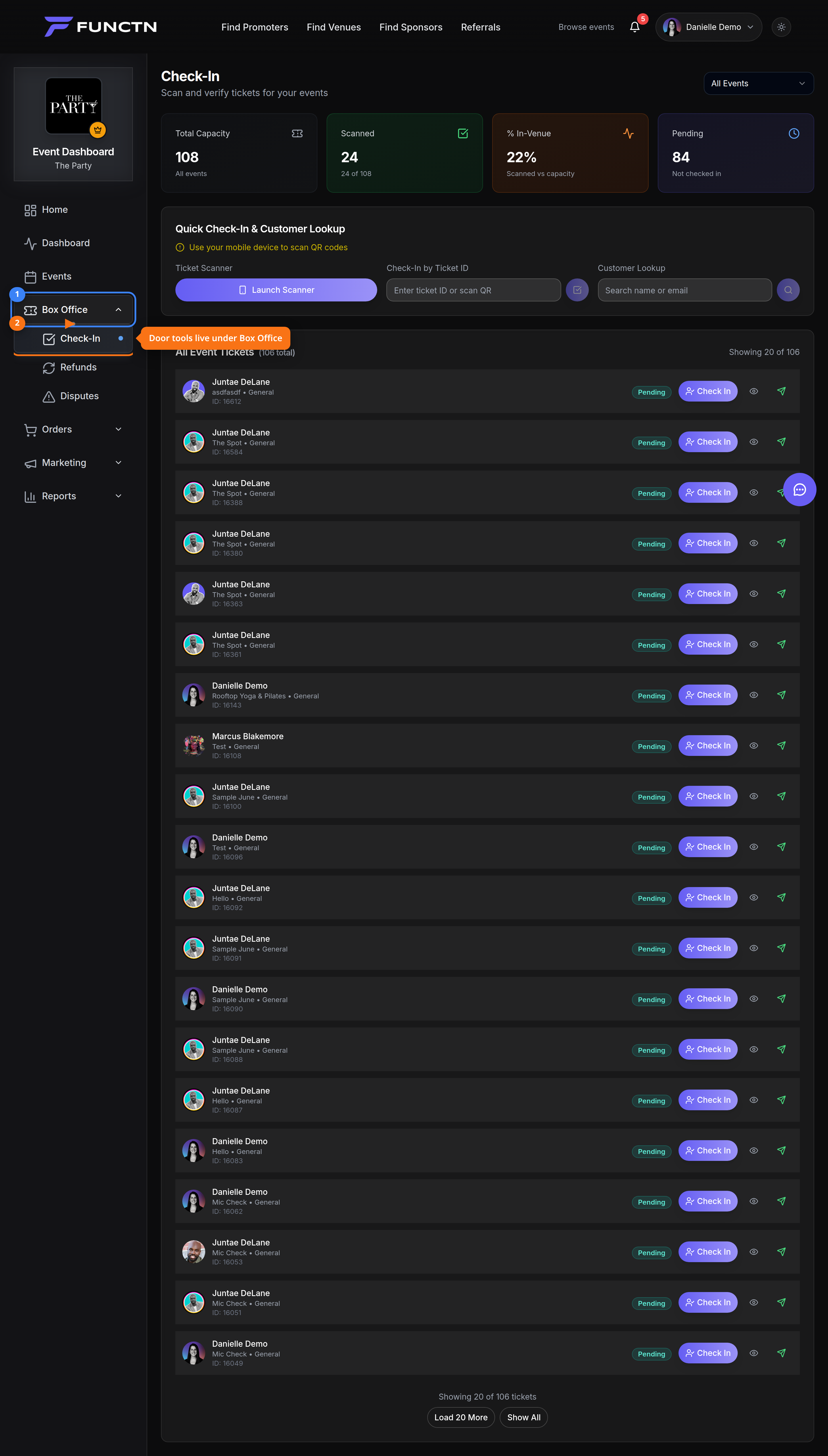 3. Choose an event from the dropdown (or leave **All Events**). 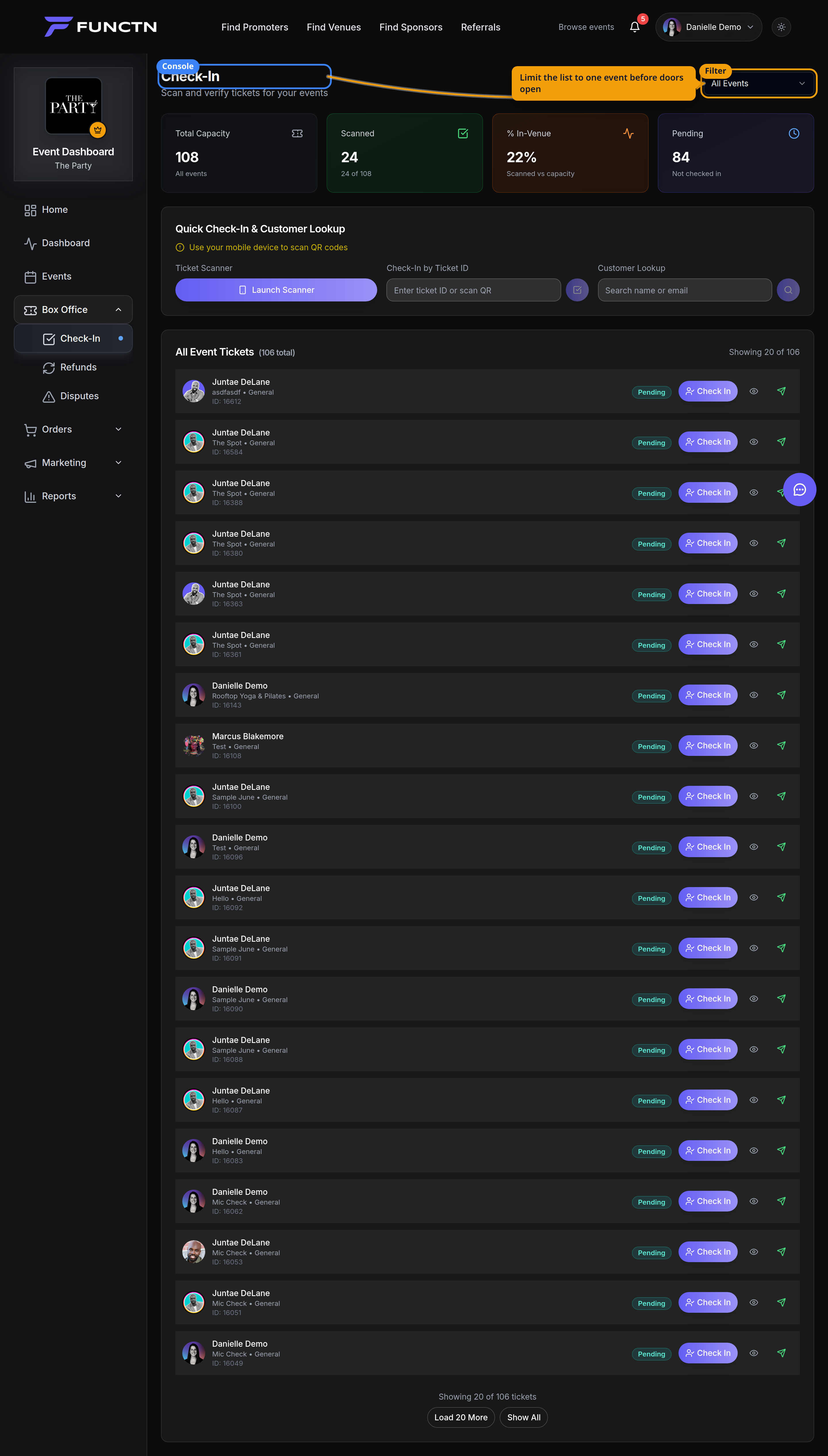 4. Click **Launch Scanner** to open the phone scanner at scan.functn.co. 5. Or enter a ticket ID under **Check-In by Ticket ID**. 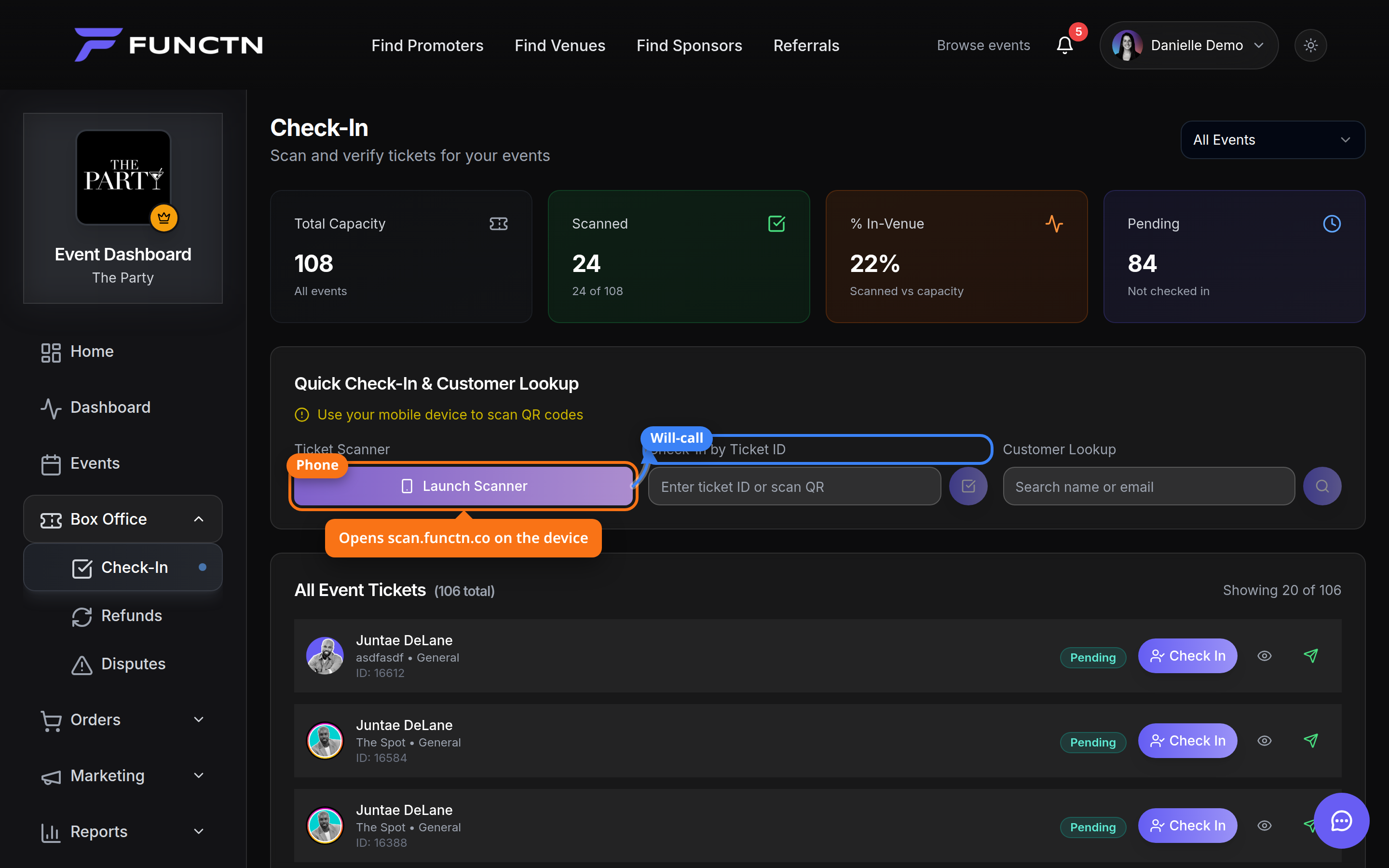 **Note:** View-only team roles cannot launch the scanner.