Affiliate links and tracking | Functn Help Center
Category: Marketing
Generate trackable affiliate and partner links and see exactly which sales each one drove.
# Affiliate links and tracking ## What this covers Use the dashboard Marketing section for email, SMS, social, promoter-network, and campaign work that is present in the app. This article focuses on "Affiliate links and tracking" using only current product behavior. ## Where to find it - Open /admin/dashboard. - Select Marketing. - Choose Email Campaigns, SMS Campaigns, Social Media Campaigns, Promoter Network, or Ad Campaigns if available. 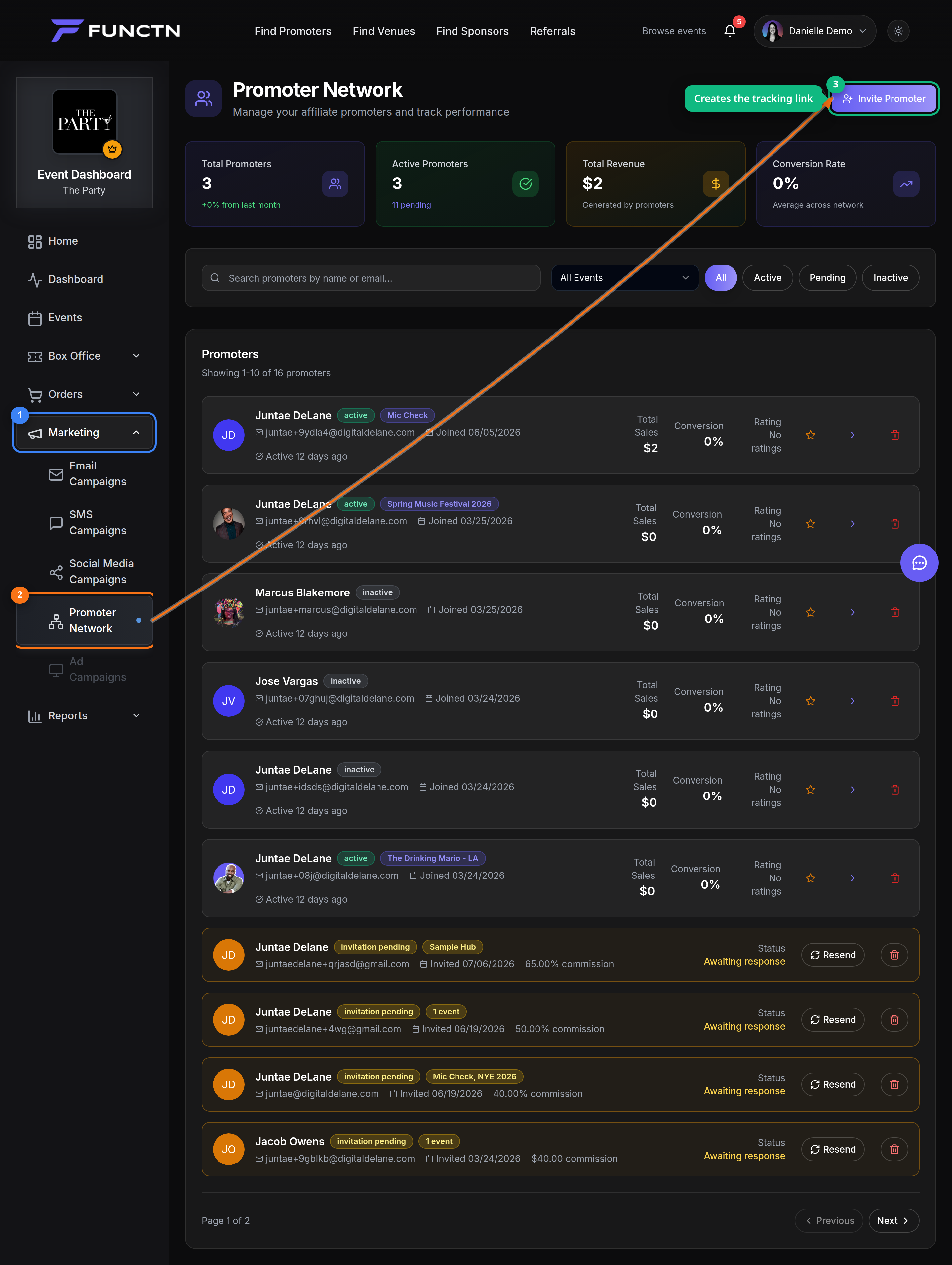 ## How it works Use the visible controls in the current app and follow the labels shown on screen. If a feature is package-gated or account-type-specific, the dashboard may hide it or show it as unavailable. For this topic, start with the closest dashboard or route listed above, then use the article title as your task guide. Avoid relying on older paths from legacy docs. 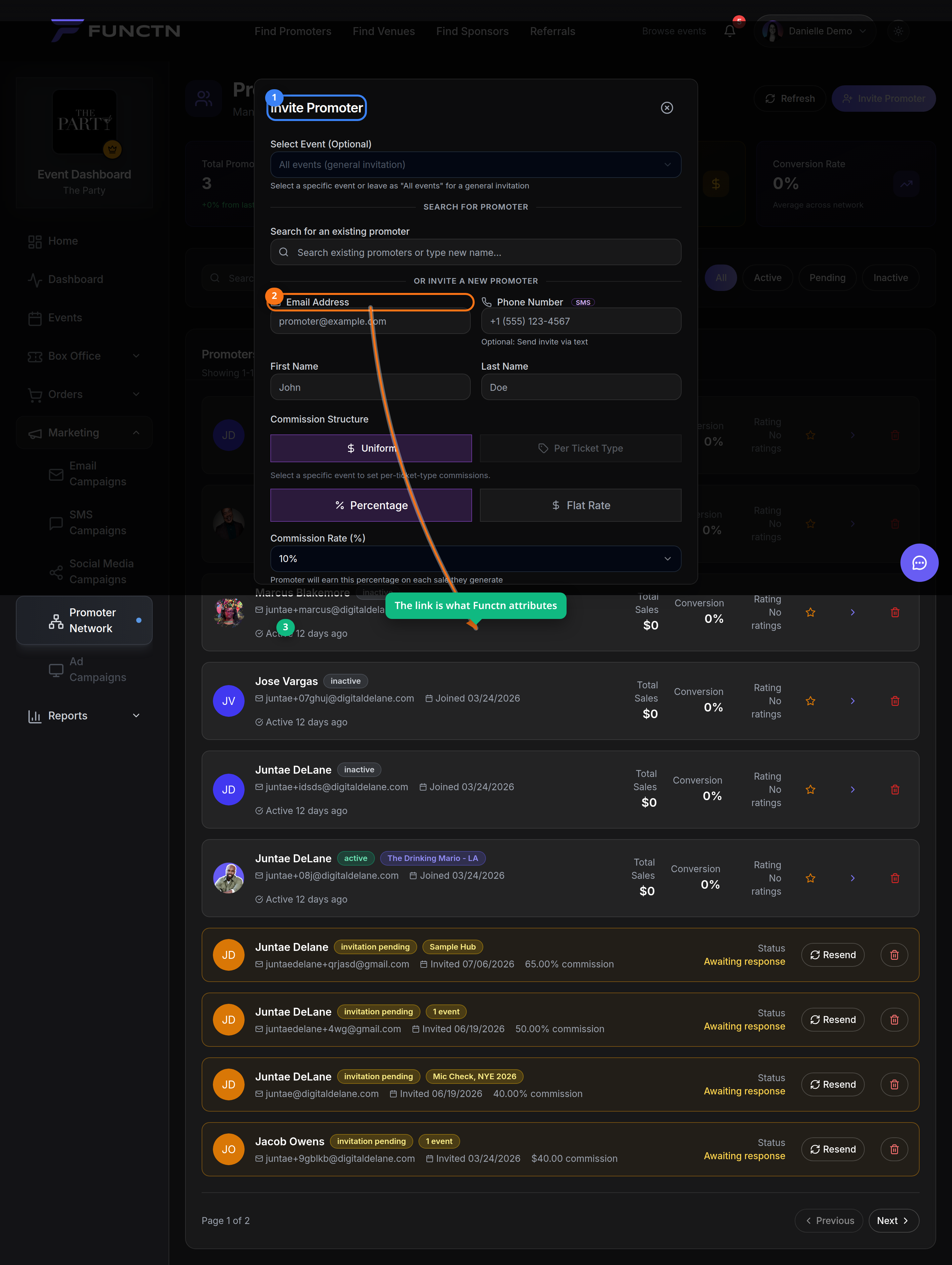 ## Limitations and notes - Third-party pixel and ad-network claims must be verified against code before they appear in help content. - This article intentionall...